
Sicuur app campaign artwork showing the app on an iPhone against a luminous blue mountain landscape
A little space before the next choice

Protect the choice you made.

Sicuur is an iPhone app that helps you stick to a decision you made while things were clear.

Write a personal plan and choose an alternative. Schedule optional Screen Time protection around difficult hours. When a moment arrives, take a guided 60-second Pause and decide what comes next.

Your plan. Your device. Your next move.

Free to download · Optional Sicuur Plus · iPhone only

No ads or public profile. Your personal plan stays on your device.

Plan aheadPause in the momentChoose againNext section
A system for the moments that matter

A boundary is stronger when it has a next step.

Sicuur brings your plan, optional app protection and a short guided Pause into one simple loop. You decide what the boundary means and when it applies.

Choose a step to preview it. Scrolling will not change your selection.

Step 1 of 5 selected: Block digital distractions

A man looks at his phone while a playful purple gremlin leans in, illustrating a late-night moment before a bet.
BEFORE YOU BETPause. Remember. Choose.

These character moments are illustrative stills from Sicuur’s reels, not app screens. Features shown elsewhere are subject to the current App Store release.

Sicuur in motion · 15 seconds

A personal plan.
A little room for choice.

See Sicuur’s core loop in motion: make a plan, choose an alternative, take a guided Pause and add optional protection around the apps you select.

Plays muted when it comes into view · Captions stay on screen

Choose a focus. Shape a next step. Leave room for choice.
Start with what matters to you

Make the plan sound like you.

Choose a sample focus to see how a personal rule, a reason and an alternative can work together. Change the words until they feel like yours.

Which boundary feels familiar?
What could help in that moment?

Example · Digital habits · Step away. Choose another focus or move.

These are examples only. Nothing you choose here is sent to Sicuur or saved by this page.

YOUR SAMPLE PLANDigital habits

When the evening feels long, I’ll put my phone down at ten.

Why it matters

What makes this choice matter to you?

Instead, I can

Make tea. Leave my phone in another room.

A plan can be practical, personal and allowed to change.

Create your plan in Sicuur Your sample stays here. Sicuur opens separately on your iPhone.
Make a little room before it gets difficult

Make your boundary harder to break.

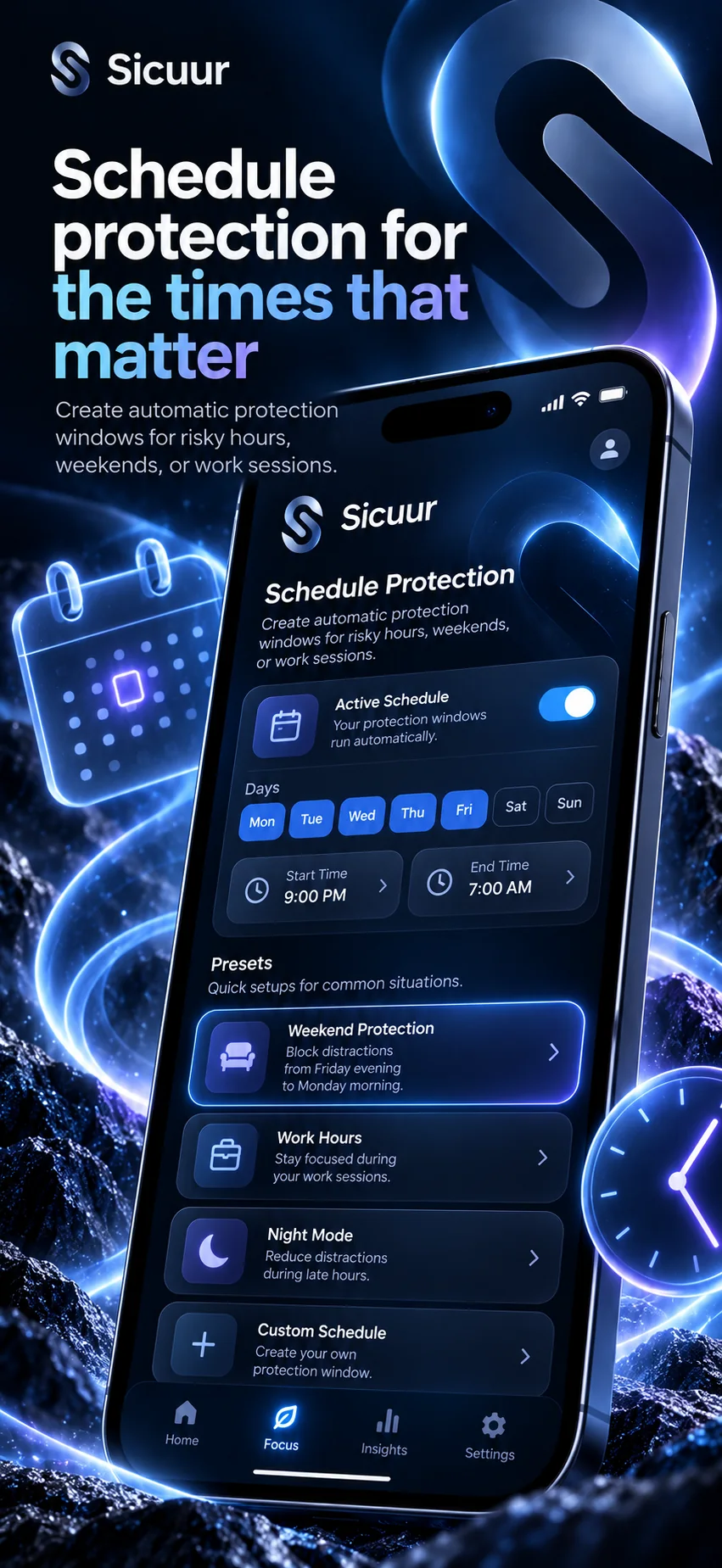
With your permission, Sicuur can use Apple Screen Time controls to protect selected apps and websites. Schedule a window around the time you already know can be difficult.

Preview a protection windowYour choices
Your example windowWeekdays · 10:00 pm–12:00 am

A sample only. No device settings will change.

Set up your plan in Sicuur

This website preview does not request permissions, schedule protection or block anything.

Sicuur campaign artwork showing a vivid blue app interface with a weekly protection schedule, chosen times and schedule presets
Choose a window that fits your week
The 60-second Pause

A moment to breathe.
Then your next move.

Try a preview of Sicuur’s guided Pause. Start when you are ready. Stop, skip or read the three steps at your own pace.

01Make a little room.
02Remember your own reason.
03Choose one small next move.
SICUUR · PAUSEREADY WHEN YOU ARE
SECONDS
A 60-second preview, ready to start. The visual countdown updates quietly.

Nothing else needs to happen for this minute.

Let there be a little space before your next choice.

Nothing is running yet.

Follow the prompts only if comfortable. Stop anytime. This preview does not save your response or change your device.

A moment you noticed
Two sample notes mention late evenings.

An observation is a prompt to reflect, not a diagnosis or a score.

Illustrative sample only · no real user activity · nothing is saved

Reflection without judgement

Notice what helps.
Keep what works.

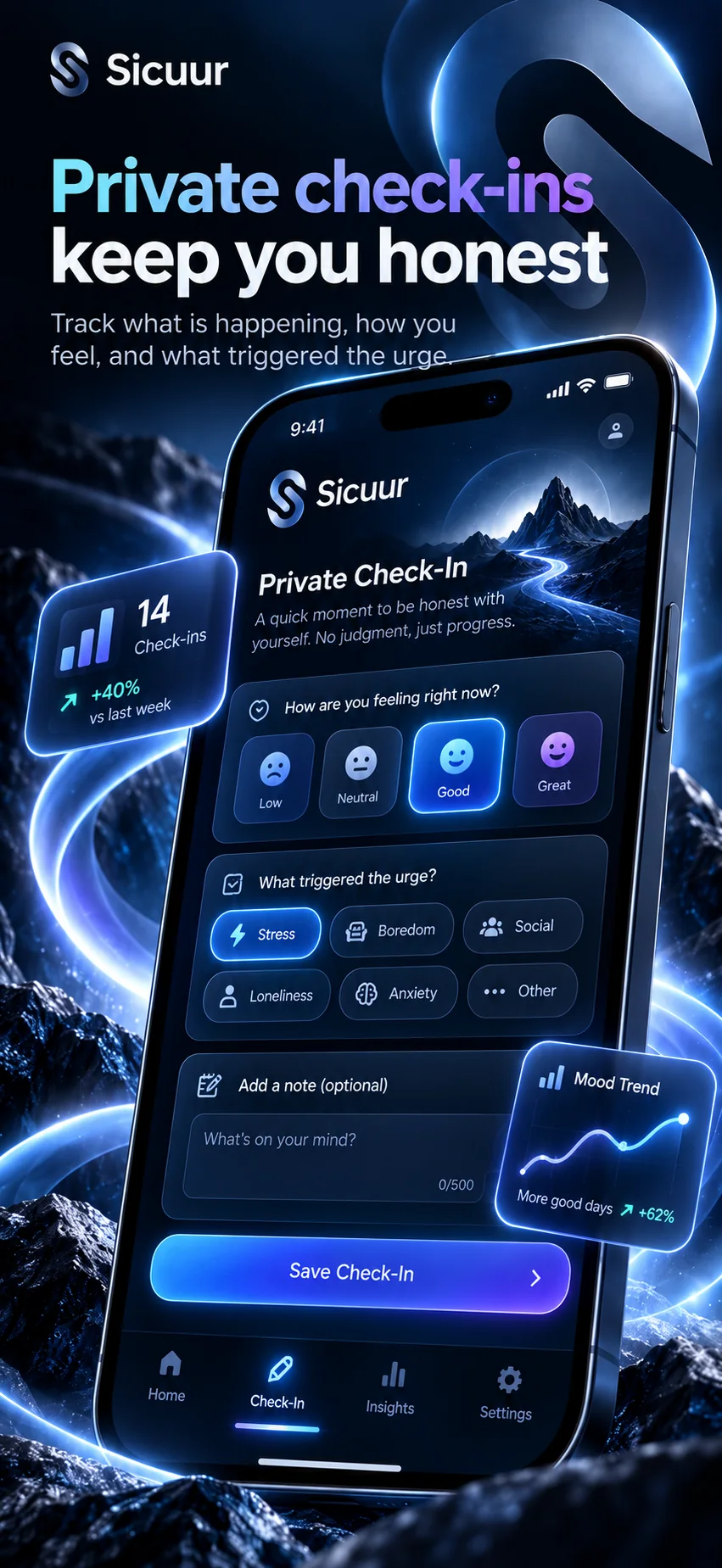
Check-ins can help you look back on the moments you chose to record. Sicuur gives you a place to notice patterns and adjust your plan, without turning a difficult day into a score.

✓ Check in privately.✓ Keep your reason close.✓ Change your plan when you need to.
Reflect with Sicuur
Sicuur blue-glass check-in campaign artwork showing mood choices, personal triggers, an optional note and a reflection trend
Illustrative private check-in preview
Clear prices. Optional protection.

Start free.
Add Plus only if you want it.

The plan and guided Pause are free to download. Sicuur Plus adds optional app protection, schedules and Trusted Unlock.

FREE

Start with your own plan

£0

Free to download

  • Personal plan: rule, reason and alternative
  • Guided 60-second Pause
  • Private reflection and check-ins
Get Sicuur for iPhone
SICUUR PLUS · OPTIONAL

Add a layer of protection

£5.99monthly
£39.99annual

Annual costs £31.89 less than twelve monthly payments at the listed UK prices.

  • Selected app and website protection
  • Scheduled protection windows
  • Optional Trusted Unlock
View Sicuur Plus

Prices shown for the UK App Store and may vary by storefront. Subscriptions renew unless cancelled. Review the price and renewal date in Apple’s purchase confirmation; manage or cancel in your Apple Account settings. Any free trial is shown only if you are eligible in the App Store. Sicuur remains free to download without Plus.

Not sure you need another app?Apple Screen Time may be enough for a basic limit or schedule. Sicuur adds a written plan and guided Pause around optional protection.Compare Apple Screen Time and Sicuur ↗
Useful by design. Honest by default.

Privacy belongs in the product, not the small print.

Your plan is personal. Protection stays optional. Here is what stays on your device, what happens only when you choose a remote feature, and where to review the current App Store disclosure.

Your everyday notes stay local

Plans, check-ins, journal entries, Pause history and protection records stay in Sicuur’s encrypted local storage.

Screen Time by permission

App selections are represented by Apple as opaque tokens. Sicuur applies a protection window only after you grant permission.

Trusted Unlock is explicit

Remote approval is optional. Its relay handles contact status and a temporary request—not your journal or protected app list.

Review the App Store disclosure

It lists contact info, identifiers and product interactions that may be linked for app functionality.

The details, clearly

Good questions.
Straight answers.

See what Sicuur does, what the website demo does, and what remains in your hands.

View on the App Store
What does Sicuur help me do?
Sicuur helps you write a personal rule, remember why it matters, choose an alternative, use a guided 60-second Pause, and optionally schedule Apple Screen Time protection for selected apps and websites.
I’ve tried blockers before. Why is this different?
Sicuur starts with your own decision: what you want to do, why it matters and what you can do instead. The Pause gives you a moment to revisit it. Optional Screen Time protection can add friction at selected times. It will not make the choice for you or guarantee an outcome. If another blocker already does enough, you may not need Sicuur.
Does the website demo change anything on my phone?
No. The plan picker, schedule controls, reflection and Pause preview are examples that run in this page. They do not save your responses, request Screen Time permission or block apps.
Does protection happen automatically?
Protection is optional and depends on the apps, schedule and Apple Screen Time permission you choose in the app. Review the selected apps and timing before applying a protection window.
What is Trusted Unlock?
It is an optional way for someone you choose to approve temporary access. You decide whether to connect a trusted person and should review the current in-app details before enabling it.
Where can I review Sicuur’s privacy details?
Plans, check-ins, journal entries, Pause history and protection records are stored in Sicuur’s encrypted local database. If you enable Remote Trusted Unlock, its relay handles the trusted-contact status, temporary request status and short-lived link hashes; the chosen person sees the request and duration, not your apps or journal. The App Store disclosure also lists contact info, device identifiers and product interactions that may be linked for app functionality. Review the App Store privacy disclosure.
Is Sicuur therapy or emergency support?
No. Sicuur is a personal productivity and self-management tool for a self-chosen boundary. It is not medical treatment, therapy or emergency assistance. If you need professional or urgent support, contact a qualified service in your area.
How much does Sicuur cost?
Sicuur is free to download. Optional Sicuur Plus is currently £5.99 monthly or £39.99 annually in the UK App Store. Subscriptions renew unless cancelled; review the price and renewal date in Apple’s purchase confirmation. You can manage or cancel in Apple Account settings. See what each option includes or review the current listing.
Which devices are supported?
The current App Store listing is for iPhone running iOS 16.4 or later. Sicuur is not currently listed for iPad. Check the current compatibility listing.
Who is Sicuur for, and who is it not for?
Sicuur is for someone who wants structure around a boundary they have chosen for themselves. It is not treatment, therapy or emergency support, and it does not promise a particular result.
Your boundary. Your choice.

Keep your plan close.
Choose what comes next.

Start with a personal plan. Add the protection that feels right. Take a little space when the moment arrives.

Get Sicuur for iPhone
Sicuur campaign artwork showing the app on iPhone against a luminous blue mountain landscape
Your plan. Your choice.Take the next step with Sicuur.Download
↑